Internal web application
Discovery Pathway Admin Portal
Private staff portal for a study-abroad consultancy: applicants, students, visitors, appointments, classes, tasks, payments and reports in one installable web app.
Related: Discovery Pathway
- My role
- Built the portal: its interface, staff workflows and Supabase integration.
- Client
- Discovery Pathway, a study-abroad consultancy in Banepa, Nepal
- Status
- Private staff portal · Live
- Stack
- JavaScript
- HTML
- CSS
- Supabase
- Chart.js
- EmailJS
- PWA
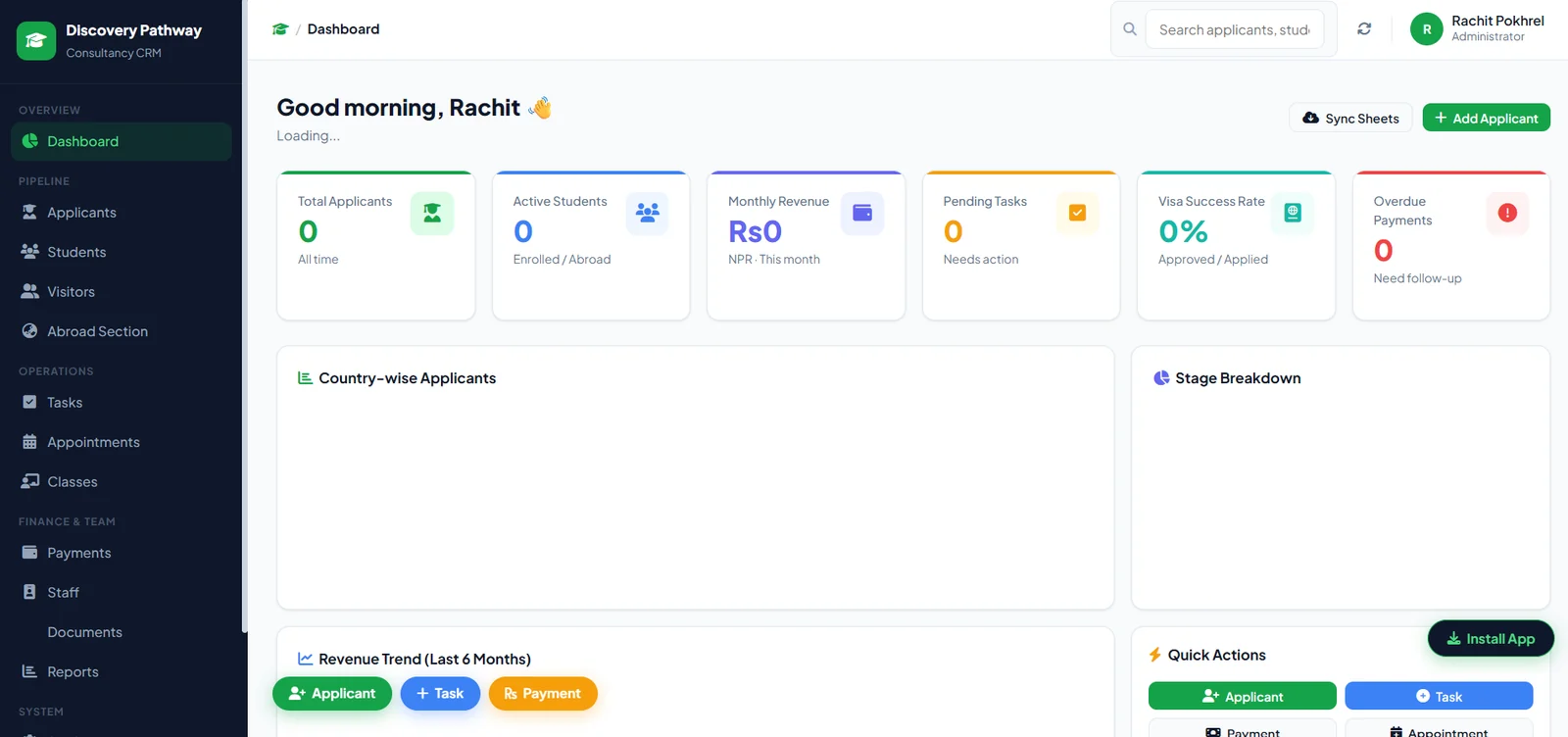
Overview
A sign-in-only web app that the consultancy’s staff use for day-to-day work: incoming applicants, enrolled students, walk-in visitors, appointments, classes, tasks, payments and reports.
It is a separate application from the company’s public website, which has its own case study, and it can be installed on a phone or computer like an app.
Who it serves: Counselors, administrators and other staff at the consultancy.
The problem
A consultancy tracks many students at different stages, each with documents, visa details, appointments and payments. The portal keeps these records in one place, so staff can see where each student stands.
Features
Students and applicants
- Applicant list and applicant profiles
- Student records with a documents checklist, visa information, counseling sessions, notes, application status and tasks
- Visitor log for walk-in enquiries
- Abroad section for students who have already travelled
Operations and reporting
- Dashboard with summary cards and charts
- Tasks, appointments and classes
- Payments with printable receipts
- Staff and team management
- Reports, plus CSV and JSON export of applicants, students and payments
- Staff sign-in and password reset through Supabase Auth
- Installable app with a service worker and an offline page
Technical decisions
No build step
The portal is plain HTML, CSS and JavaScript that talks to Supabase directly, with Chart.js for charts. It is served as static files on the company’s own subdomain.
Installable for staff
A web app manifest, icons and a service worker let staff install the portal and see an offline page when the connection drops.
Outcome
- Live on the company’s admin subdomain. Access requires a staff sign-in.